How to Test Tool-Calling Accuracy in AI Agents
OpenRouter ·
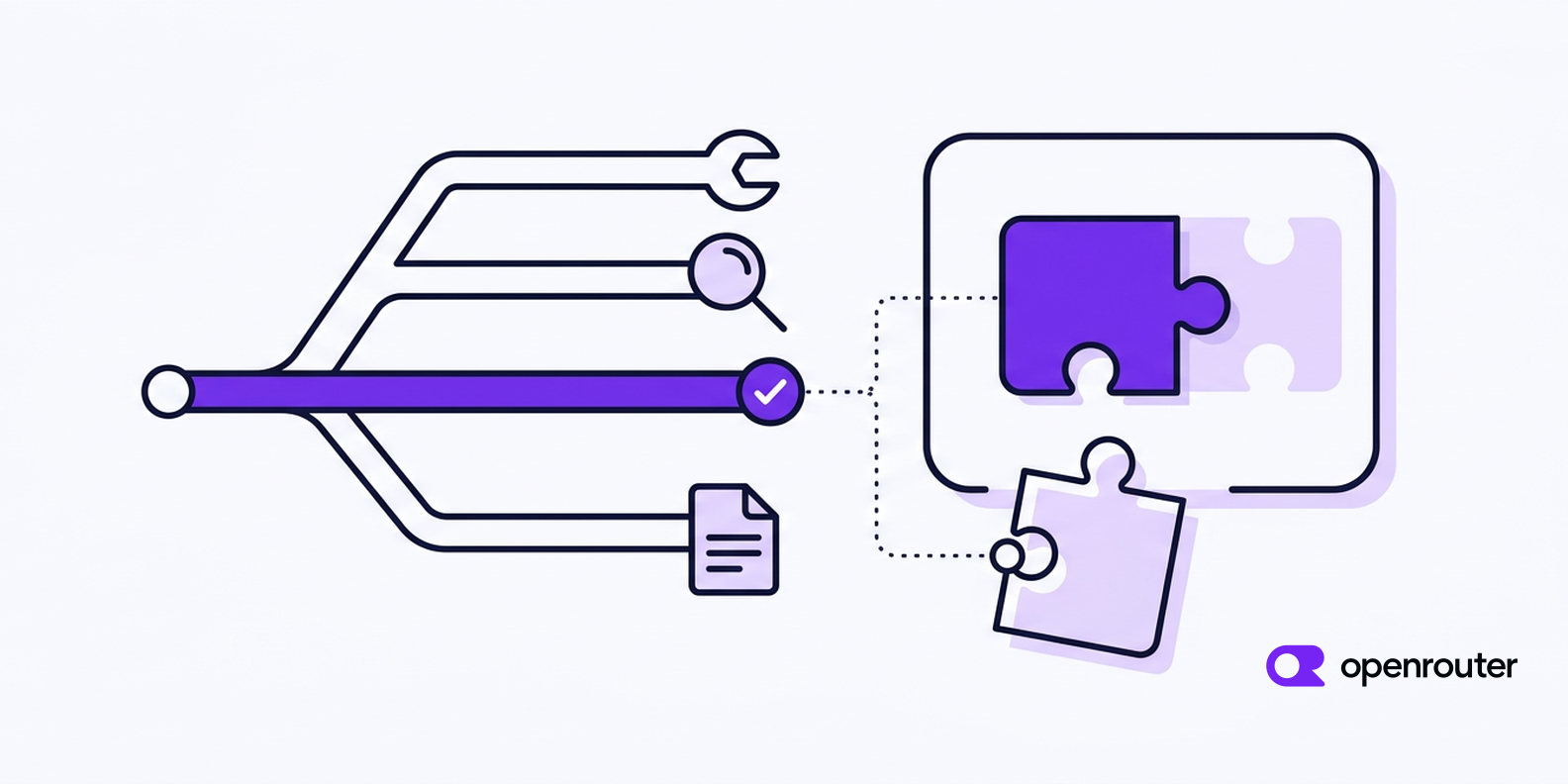
An agent can fail in two places when it uses a tool. It can choose the wrong tool, or it can choose the right one and send the wrong arguments.
Those failures tell you different things. If an agent calls lookup_order instead of refund_order, the problem is tool selection. If it calls refund_order with the wrong order_id, it chose the right tool and passed the wrong arguments.
This guide covers three ways to test tool-calling behavior. The first is a reference-free large language model (LLM) judge. The second is deterministic argument checks. The third is trajectory comparison. It then shows how to run the same test cases against several tool-capable models through OpenRouter.
Tl;dr
- Test tool selection and argument correctness separately. An agent can choose the wrong tool, call one unnecessarily, or choose the right tool and pass bad arguments.
- Use deterministic checks when you know the expected tool or argument value. Use a reference-free LLM judge when correctness depends on context or several choices could be valid.
- Use JSON Schema to catch malformed or structurally invalid arguments, and check argument values separately. A schema-valid value can still be wrong.
- Use trajectory comparison when the sequence of tool calls matters. If several paths can reach the same valid result, don’t require one exact sequence.
- When you compare models, keep the test cases, grading rules, model settings, and routing configuration the same for every candidate.
Two failure modes that need different tests
Start with the tool decision itself, then inspect the call the model produced.
Tool selection
Suppose an internal support agent can use lookup_order, issue_refund, and search_docs.
If the user asks what the refund policy says, search_docs is the appropriate tool. If they ask to refund order ord_7281, the agent may need to look up the order before issuing the refund. Your test set should also include cases where the model already has enough information to answer and should not call a tool.
The no-tool case matters because checking only whether a response contains tool_calls isn’t enough. A model that calls an unnecessary or incorrect function still produces a tool call.
When one tool is clearly expected, compare the returned tool name with the expected one in code. If several tools could reasonably solve the request, exact matching can reject a valid choice. That’s where an LLM judge is more useful.
Argument correctness
After the model chooses a tool, inspect the arguments it generated. This check has two parts, structure and values.
Structural validation catches malformed JSON, missing required fields, incorrect types, invalid enum values, and parameters the tool doesn’t accept.
A structurally valid call can still contain the wrong value.
{
  "order_id": "ord_7282"
}
If order_id is defined as a string, that payload satisfies the schema. It’s still wrong if the user asked about ord_7281.
Existing eval frameworks make the same split. DeepEval has separate Tool Correctness and Argument Correctness metrics, and Phoenix has a separate evaluator for tool selection.
Approach 1. Reference-free LLM judge
A reference-free judge grades a tool call without a fixed expected answer. This approach is useful when correctness depends on context or several choices could be valid, so there is no single value you can compare against in code.
For tool selection, give the judge the user’s request, the tools available to the agent, and the model’s output. Then ask it to decide whether the selected tool was appropriate, including whether the model should have avoided using a tool at all.
Consider a research agent with both web_search and search_internal_docs. There may not be one correct choice. The better tool can depend on what the user asked and what information is already available in the conversation.
The same issue appears in arguments. A search query, description, or date range may fit the schema and still fail to represent what the user meant. If there is no fixed value you can compare against, a judge can evaluate the meaning instead.
A reference-free judge still needs clear instructions for what counts as correct. Keep those instructions and the judge model fixed when comparing candidate models, and check the judge’s decisions against a small set of cases you have reviewed yourself before you use it across the full dataset.
If an equality check, schema validator, or business rule can answer the same question reliably, use that instead.
Approach 2. Deterministic schema checks on arguments
Not every argument error needs another model call. If the tool schema can prove the failure, validate it in code.
Consider this tool definition.
tools = [
    {
        "type": "function",
        "function": {
            "name": "lookup_order",
            "description": "Look up an order by its ID.",
            "parameters": {
                "type": "object",
                "properties": {
                    "order_id": {"type": "string"},
                    "include_items": {"type": "boolean"},
                },
                "required": ["order_id"],
                "additionalProperties": False,
            },
        },
    }
]
The same schema you send to the model can validate the arguments it returns. It catches a missing order_id, a string where include_items expects a boolean, or an undeclared field such as customer_email.
Approach 3. Trajectory comparison
Tool selection and argument checks cover individual calls. Multi-step agents can also fail in the sequence of calls they make. When that sequence is part of the requirement, trajectory comparison tests it directly.
A refund workflow might require three calls in order.
lookup_order
    ↓
verify_refund_eligibility
    ↓
issue_refund
Strict matching only makes sense when order is required. LangSmith’s trajectory evaluators support strict, unordered, subset, and superset matching for this reason. A strict check enforces one sequence. The other modes accept different orderings or require only a particular set of calls.
Agent benchmarks handle this the same way. In τ²-bench, the recorded action list is one reference trajectory that is replayed to derive a target database end state. Any sequence of tool calls that produces an equivalent end state passes the database check.
If lookup_customer and lookup_subscription can happen in either order, don’t fail one sequence because your reference used the other. Grade the required calls or the resulting state instead.
| Eval approach | What it checks | Best fit |
|---|---|---|
| Reference-free LLM judge | Whether a tool choice or argument value is appropriate in context | Decisions that can’t be checked mechanically |
| JSON Schema validation | JSON structure, required fields, types, enums, and undeclared fields | Structural validation of returned calls |
| Trajectory comparison | Which tools were called and, when required, in what order | Workflows with a known expected path |
A test case can use more than one check. For example, you can compare the tool name, validate its arguments against JSON Schema, and then compare known argument values with the expected payload.
Run the same eval across models
Once you define the test cases and graders, you can run the same harness against each candidate model.
We expose one tool-calling interface across supported models, so you don’t need a separate provider integration for each model you want to compare.
The example sets tool_choice to "auto". That’s the default when you supply tools, and setting it explicitly makes the no-tool test easier to follow.
This example uses the OpenAI Python SDK with our OpenAI-compatible endpoint. Install the dependencies first.
pip install openai jsonschemaSet OPENROUTER_API_KEY in your environment, then run the same test cases against each candidate model.
import json
import os

from jsonschema import Draft7Validator, ValidationError
from openai import OpenAI

client = OpenAI(
    base_url="https://openrouter.ai/api/v1",
    api_key=os.environ["OPENROUTER_API_KEY"],
)

tools = [
    {
        "type": "function",
        "function": {
            "name": "lookup_order",
            "description": "Look up an order by its ID.",
            "parameters": {
                "type": "object",
                "properties": {
                    "order_id": {"type": "string"},
                },
                "required": ["order_id"],
                "additionalProperties": False,
            },
        },
    }
]

tool_schemas = {
    tool["function"]["name"]: tool["function"]["parameters"]
    for tool in tools
}

test_cases = [
    {
        "name": "known order",
        "messages": [
            {
                "role": "user",
                "content": "Check the status of order ord_7281.",
            }
        ],
        "expected_calls": [
            {
                "name": "lookup_order",
                "arguments": {"order_id": "ord_7281"},
            }
        ],
    },
    {
        "name": "no tool needed",
        "messages": [
            {
                "role": "user",
                "content": "What does an order status of 'shipped' mean?",
            }
        ],
        "expected_calls": [],
    },
]

models = [
    "anthropic/claude-opus-5",
    "openai/gpt-5.6-sol",
    "moonshotai/kimi-k3",
]


def grade_case(model, case):
    response = client.chat.completions.create(
        model=model,
        messages=case["messages"],
        tools=tools,
        tool_choice="auto",
        extra_body={
            "reasoning": {"effort": "low"},
            "provider": {"require_parameters": True},
        },
    )

    calls = response.choices[0].message.tool_calls or []
    expected_calls = case["expected_calls"]

    actual_names = [call.function.name for call in calls]
    expected_names = [call["name"] for call in expected_calls]
    tool_selection = actual_names == expected_names

    schema_results = []
    parsed_calls = []

    for call in calls:
        name = call.function.name
        schema = tool_schemas.get(name)

        if schema is None:
            schema_results.append(False)
            continue

        try:
            arguments = json.loads(call.function.arguments)
            Draft7Validator(schema).validate(arguments)
        except (json.JSONDecodeError, ValidationError):
            schema_results.append(False)
            continue

        schema_results.append(True)
        parsed_calls.append(
            {
                "name": name,
                "arguments": arguments,
            }
        )

    schema_valid = all(schema_results) if calls else None

    argument_values = None
    if expected_calls:
        argument_values = (
            schema_valid is True
            and parsed_calls == expected_calls
        )

    if expected_calls:
        passed = (
            tool_selection
            and schema_valid is True
            and argument_values is True
        )
    else:
        passed = tool_selection

    return {
        "tool_selection": tool_selection,
        "schema_valid": schema_valid,
        "argument_values": argument_values,
        "passed": passed,
    }


for model in models:
    results = [
        grade_case(model, case)
        for case in test_cases
    ]

    passed = sum(result["passed"] for result in results)

    print(f"{model}: {passed}/{len(results)} cases passed")

    for case, result in zip(test_cases, results):
        print(f"  {case['name']}: {result}")
A correct no-tool case counts toward tool selection and the overall result, and there is no schema or argument payload to grade. For cases that return tools, the harness validates every call before comparing the returned values with the expected payload.
The harness sets reasoning.effort to low for every candidate so that a difference in default reasoning effort doesn’t show up as a difference in tool-calling accuracy. Each of the three models above lists low in the supported_efforts array of its reasoning object in the models endpoint. It also sets provider.require_parameters to true. A model’s supported_parameters list can include a parameter that only some of that model’s provider endpoints accept, and with default routing a provider that doesn’t support a parameter still receives the request and ignores it. With require_parameters set, we only route the request to providers that support every parameter in it, so each graded response ran at the effort the harness asked for. See provider routing for the field. The harness doesn’t set temperature, because openai/gpt-5.6-sol doesn’t list temperature in supported_parameters. If every candidate in your list accepts temperature, set it explicitly as well.
The model IDs above are examples. Each entry in the models endpoint has a supported_parameters array. A model supports this harness when that array includes tools and tool_choice. Check the current tool-calling models collection before you fix a candidate list in a long-lived eval suite.
For a real comparison, run each test case more than once so a model’s score isn’t based on a single response. A larger suite should also include the harder cases your application sees, such as missing arguments, similar tool descriptions, multiple calls, and requests where no tool should be used.
This harness evaluates one tool-calling turn. For a multi-step agent, collect calls across the full trace and compare the sequence or the resulting state, depending on what the workflow requires.
Provider routing also affects what your comparison measures. Auto Exacto runs by default on every request that includes tools and reorders providers for your chosen model, so it can change which provider endpoint serves a tool-calling request. One of its inputs is the Tool Call Error Rate. For each request that includes tools, we inspect every tool call the model returned and classify structural failures as InvalidJson, UnknownName, or SchemaMismatch, validating arguments against the parameters schema you supplied under JSON Schema Draft 7. That metric measures provider behavior. It doesn’t replace the local schema validation in your own harness, which is why the example above validates arguments itself.
If you want to test the routing setup your application will use in production, leave Auto Exacto enabled for every candidate. If you want an endpoint-level comparison, use our provider routing controls to pin the provider. Set the order field in the provider object to that provider’s slug and set allow_fallbacks to false, so every request goes to one endpoint.
Keep the prompts, tools, test cases, judge model, and evaluation criteria the same between runs. Set sampling and reasoning parameters such as temperature and reasoning explicitly rather than relying on defaults, and check that each candidate supports the parameters you set. Don’t set max_tokens in the harness. A truncated response can cut off the tool call’s JSON and show up as an InvalidJson failure that has nothing to do with the model’s tool selection.
If you’d rather not maintain the cross-model runner yourself, Ori Eval runs your agent against candidate models, asserts on the tools it called and the tools it avoided, and grades open-ended answers with an LLM judge.
Common mistakes
A tool-calling eval can give you misleading results if the test cases or grading rules are too narrow.
- Testing only clean requests. Include missing information, similar tools, cases where no tool should be called, and prompts where the model should ask for a value instead of inventing one.
- Checking only
tool_calls[0]. A response can contain several calls, so grade the full array. - Treating a valid payload as a correct payload. Schema validation can’t tell you whether a valid value is the right customer, order, date, or amount.
- Changing the eval between models. If the tools, prompts, judge, model settings, or routing policy change between runs, you’re no longer making the same comparison.